
Feature Area: Claims Management
Impact: Improve data quality and business rule enforcement
Description
We are excited to introduce a new feature that allows you to configure mandatory fields required for claim settlement for all your users. This enhancement empowers companies to define which fields must be completed before a claim can be moved to the Settled status. By ensuring data completeness, this feature helps enforce business rules and data quality for reporting and improves overall claim management efficiency.
Configuration (Claims Settings)
In the Claims Settings screen, a new section titled **Mandatory Fields for Settlement** will be added. This section will be accessible only to admin users and will contain three independent subsections: **Claim Level**, **Port Call Level**, and **Cargo Level**. Admins can select multiple fields to be mandatory in each subsection, and they have the option to leave the configuration empty if desired. Contact support@voyagerportal.com to configure your mandatory fields today.
UI Behavior (Claim Screen)
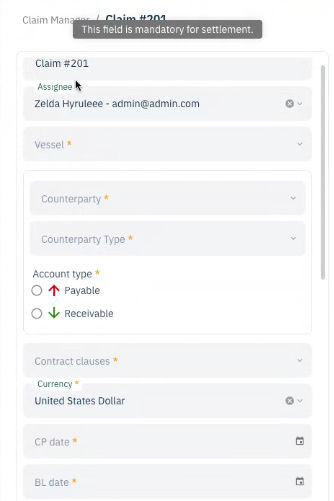
Mandatory fields will be visually indicated with a yellow asterisk (*) next to the field label. Additionally, hovering over the asterisk will display a tooltip stating, "This field is mandatory for settlement," ensuring users are aware of the requirements.
Settlement Validation
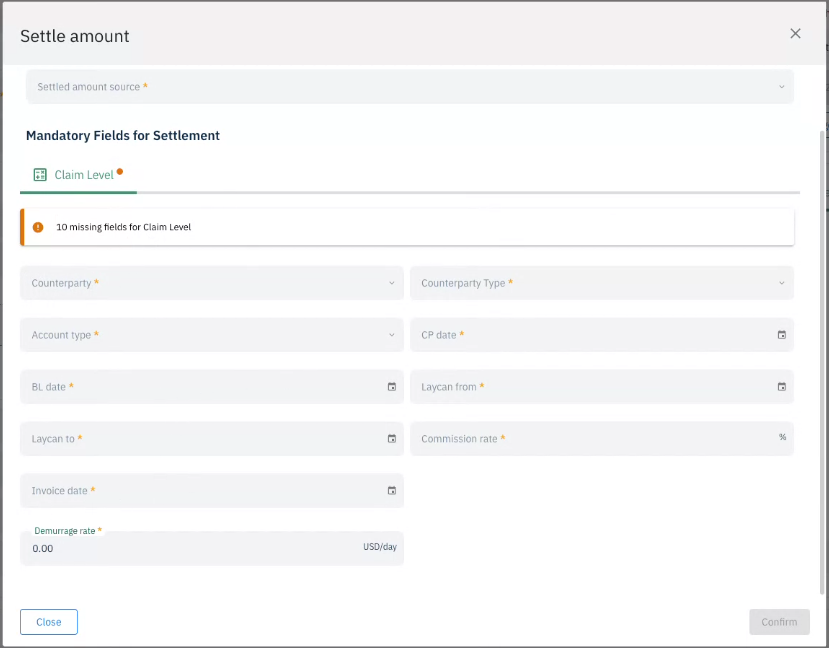
When a user attempts to change the claim status to Settled, the system will validate all configured mandatory fields. If any required fields are incomplete, a settlement modal will appear, listing only the missing mandatory fields grouped by their respective categories (claim, port call, cargo). The OK/Confirm button will remain disabled until all required fields are filled in, including the settled amount at the top.
If you hit "close" or the cross at the top of the window, your work will not be saved.
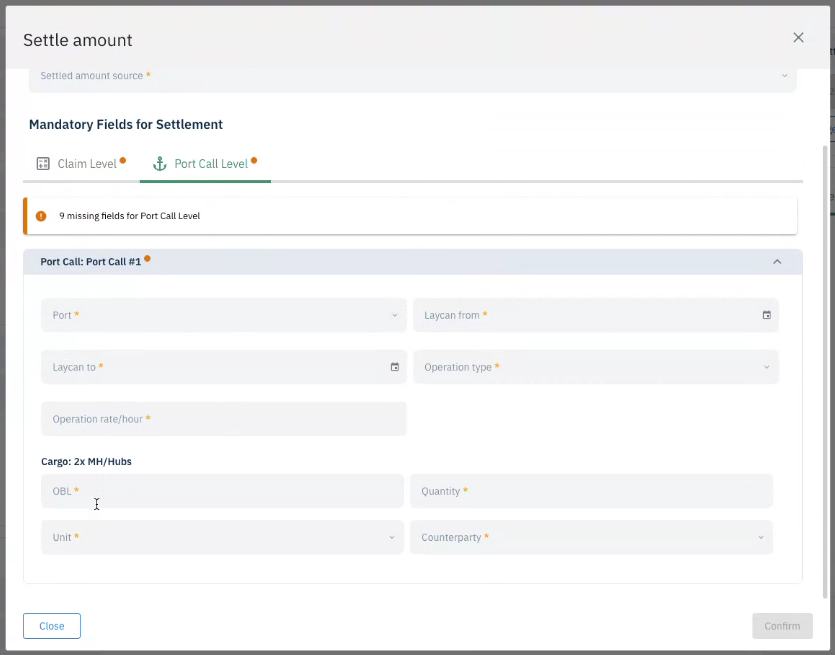
This new feature aims to enhance the claim settlement process by ensuring that all necessary information is captured, ultimately leading to more efficient and accurate claim management. If you have any questions or need assistance with this feature, please feel free to reach out to our support team!