
Feature: Claims Management
Available for: Demurrage Claims and Port calls. Not currently available for non-demurrage claims
You can now add, edit, and track broker information across your demurrage claims. Brokers can be assigned at both the claim level and the cargo level (within port calls). Broker data is visible in claim lists, searchable, sortable, and fully audited in the claim timeline.
How to Use It
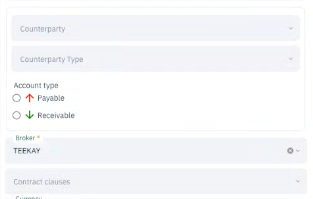
For a Claim-Level Broker:
- Open any demurrage claim
- Scroll down on the left side menu
- Click the Broker dropdown
- Select a broker (or clear to remove)
For Cargo-Level Brokers:
- Open a demurrage claim
- Click on a port call
- Click Edit on a port call
- For each cargo, select a broker from the dropdown
- Save the port call
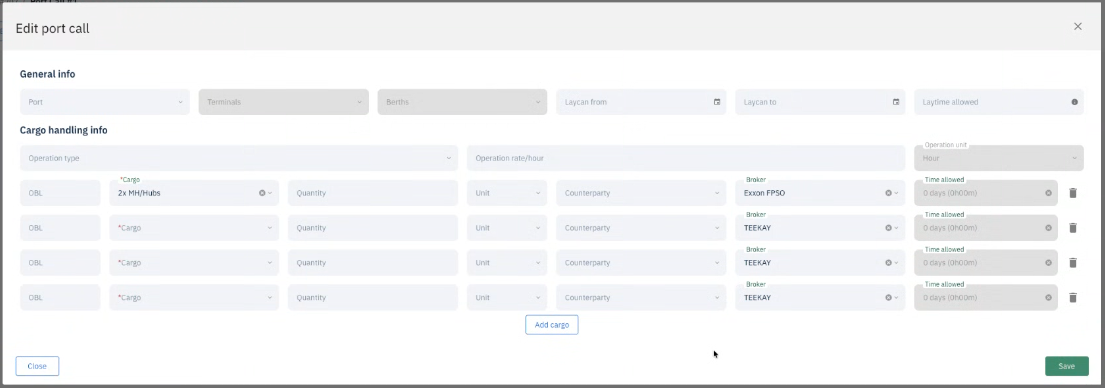
New cargoes inherit the claim-level broker (can be overridden)
In the Claims Manager table:
- Add the Broker column via the column picker
- Use the search bar to find claims by broker name
- Click the Broker column header to sort