
Feature: Claims Management
Available for: Non-demurrage claims only. Not available for demurrage claims.
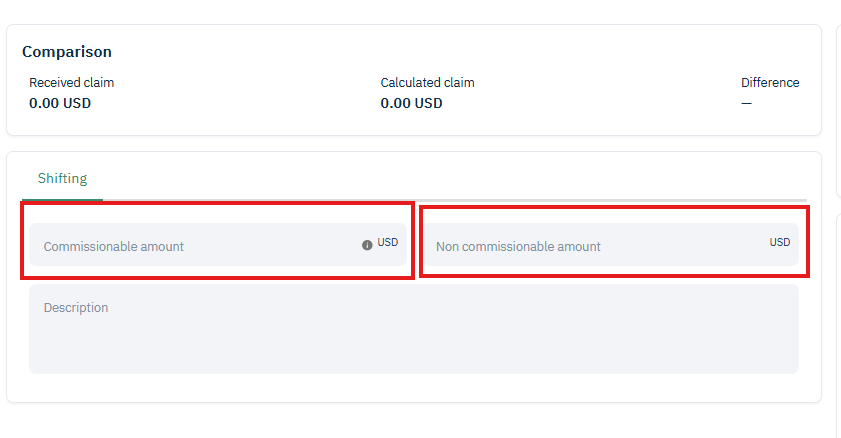
Non-demurrage claims now support separate Commissionable and Non-Commissionable amount fields, allowing commission to be tracked and calculated correctly for claims that contain time-related expenses.
Overview
Previously, non-demurrage claims only supported a single claim amount. For time-chartered and owned/controlled vessel voyages, some claim costs are subject to broker commission while others are not. This release introduces two separate amount fields to capture this distinction, so that gross totals, net totals, statements, and downstream integrations all reflect the correct split.
How the Amounts Are Calculated
Gross = Commissionable Amount + Non-Commissionable Amount
Net = (Commissionable Amount after commission rate) + Non-Commissionable Amount
The split is reflected in the claim's statement download and in comparison views.
How to Use It
Open a non-demurrage claim
In the amounts section, enter the Commissionable Amount and the Non-Commissionable Amount separately
The system calculates gross and net totals automatically
Download the statement — the correct split will be reflected in the output